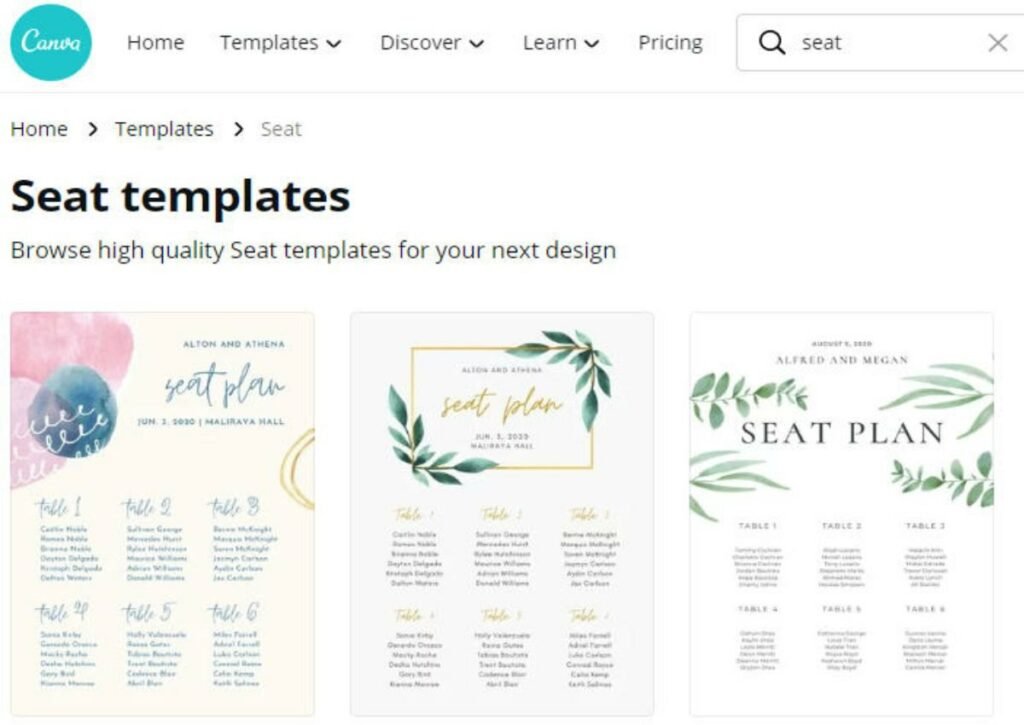
Organizing an event, a classroom, or even a wedding reception often feels like a puzzle with too many pieces. Who sits where? How do you ensure good conversations? How do you avoid awkward silences or conflicts? The good news is, you don't have to tackle this complex task with pen and paper anymore. The digital age has brought us powerful, intuitive tools, and choosing the best seating plan generator can transform a stressful chore into a streamlined, even enjoyable, part of your planning process.
Whether you're a teacher trying to optimize student collaboration, a corporate event planner aiming for impactful networking, or a wedding coordinator orchestrating a joyful celebration, the right generator can make all the difference. This guide will walk you through what to look for, how these tools work, and how to pick the perfect one for your specific needs, ensuring your next gathering runs without a hitch.
At a Glance: Your Seating Plan Generator Checklist
- Free vs. Paid: Many excellent tools are 100% free, requiring no sign-ups or downloads.
- Layout Flexibility: Look for options like traditional rows, clusters, U-shapes, or circular tables.
- Customization: Can you randomize assignments, toggle seat numbers, or input preferences?
- Output Formats: Essential for sharing and printing (PDF, CSV, PNG are common).
- Performance: A good generator should create plans in seconds, even for hundreds of seats.
- Accessibility: Mobile-friendly design is key for on-the-go adjustments.
- AI Integration: For complex events, AI can optimize arrangements based on guest profiles.
The Unsung Hero of Seamless Events: What Exactly Is a Seating Plan Generator?
Think of a seating plan generator as your personal digital assistant for arrangement logistics. These web-based tools are designed to simplify and accelerate the creation of professional seating arrangements for virtually any scenario. From classrooms and corporate events to grand weddings and intimate dining experiences, they take the guesswork and manual drudgery out of assigning seats.
At its core, a seating plan generator helps you visualize and organize attendees within a given space. Instead of fiddling with sticky notes or drawing imprecise diagrams, you input your guest list and venue specifications, and the software does the heavy lifting. This means less time struggling with logistics and more time focusing on the experience itself. The best ones aren't just about placing bodies in chairs; they're about strategically designing interactions and maximizing comfort, contributing significantly to the overall success of your event.
Why Bother? The Real Benefits of Ditching Manual Seating Charts
You might be thinking, "I've always done it by hand, why change now?" The answer lies in efficiency, accuracy, and ultimately, a superior experience for everyone involved. Embracing a digital seating plan generator offers a host of compelling advantages:
1. Reclaiming Your Time and Effort
Manual seating arrangements are notoriously time-consuming. Juggling guest lists, floor plans, and preferences can eat up hours, if not days. A generator slashes this time dramatically, often creating a full plan in seconds. This allows event organizers, teachers, and hosts to focus their energy on other critical aspects of planning. Imagine the hours you'll save that can be redirected to refining content, coordinating vendors, or personalizing guest experiences.
2. Drastically Reducing Errors and Mix-ups
Human error is inevitable, especially when dealing with large numbers of attendees. Forgetting a preference, misplacing a name, or double-booking a seat can lead to awkward situations. Digital tools minimize these mistakes by automating assignments and providing clear visual representations. You'll avoid the dreaded last-minute scramble to fix seating snafus.
3. Enhancing the Guest Experience
This is where smart seating truly shines. By thoughtfully arranging guests, you can foster better conversations, encourage networking, and minimize potential discomfort. Tools that allow for strategic placement—like putting quiet students near the front or connecting professionals with shared interests—directly contribute to a more engaging and enjoyable experience for everyone. When people feel comfortable and connected, the event's objectives are more easily met.
4. Streamlining the Planning Process
A seating plan isn't a standalone item; it integrates with countless other aspects of event management, from catering headcounts to name tag printing. Using a generator creates a digital record that can be easily shared, updated, and integrated with other planning tools. This smooth, interconnected workflow means less stress and a more organized approach overall.
Unpacking the "Good": Essential Characteristics of a Top-Tier Generator
When you're ready to start your search, knowing what truly makes a seating plan generator stand out is crucial. Here are the hallmarks of a tool that will genuinely make your life easier:
User-Friendliness & Flexibility
A great generator is intuitive. You shouldn't need a manual to figure it out. Look for a clean interface, clear instructions, and straightforward steps. Beyond ease of use, it must be flexible enough to adapt to various event types and sizes. Whether you're arranging 20 students or 200 wedding guests, the tool should handle it gracefully without feeling cumbersome. The best generators cater to different scenarios, from a traditional classroom to a dynamic corporate workshop.
Saving & Reusing Templates
Once you've spent time perfecting a layout, you shouldn't have to start from scratch every time. A valuable feature is the ability to save and reuse templates. This is particularly useful for teachers who manage multiple classes or event planners who host recurring functions with similar layouts. It's a massive time-saver for recurring classroom setups or annual corporate meetings.
Real-Time Adjustments
Last-minute changes are a reality of any event. A good generator allows for real-time edits, letting you drag and drop guests, add new attendees, or swap seats effortlessly. This agility prevents chaos and ensures your plan remains current, even as details shift.
Visual Venue Representation
Seeing is believing, especially when it comes to spatial arrangements. The best tools offer a visual representation of your venue, giving you a bird's-eye view of how the seating will look. This helps optimize space utilization, identify potential bottlenecks, and ensure clear sightlines for presentations or stage views. It's about achieving the best possible flow and comfort within your chosen space.
Guest Management Features
While some basic generators simply assign names to seats, more robust options include guest management features. This might involve importing guest lists, adding notes about dietary restrictions or accessibility needs, and grouping individuals. These capabilities simplify the initial setup and provide a centralized hub for all guest-related information, making seat assignment far more intelligent.
The Power of AI: Smart Seating
This is where modern generators truly innovate. Tools like Remagine AI leverage artificial intelligence to create optimal arrangements by analyzing various factors. Imagine a system that considers job roles, departments, personal interests, student needs, guest preferences, or even potential conflicts. AI can promote conversation, enhance networking opportunities, and minimize awkward situations by making data-driven decisions about who sits where. It’s like having an expert social engineer built right into your planning tool.
Your Decision Framework: Key Features to Look For When Choosing
With so many options out there, how do you narrow down your choices? Focus on these key features that directly impact usability and the quality of your final seating plan.
Accessibility & Cost: Free vs. Paid
Many excellent seating plan generators are 100% free. These often run directly in your browser, require no registration, downloads, subscriptions, or software installation. Crucially, some even work offline once loaded, keeping your data private as information remains on your device. For most users, a free, browser-based tool offers plenty of power without the commitment. Paid versions typically offer advanced features like deeper AI integration, more extensive guest management databases, or premium template libraries, which might be overkill for casual users but invaluable for large-scale professional events.
Output Formats: How You'll Share Your Plan
Once your masterpiece is complete, you'll need to share it. Look for multiple export options:
- PDF: Ideal for printing and distributing physical copies to staff or placing at venue entrances.
- CSV: Perfect for data management, allowing you to import your guest list into other systems like grade books or attendance trackers.
- PNG Image: Great for embedding into presentations, newsletters, emails, or parent communications, offering a quick visual overview.
Layout Flexibility: Matching Your Venue and Vision
Your event isn't a one-size-fits-all scenario, and neither should your seating plan be. A versatile generator allows you to choose from various arrangement styles:
- Traditional Rows: Standard for classrooms or lecture halls.
- Cluster Groups: Encourages collaboration and small group discussions, popular in workshops.
- U-shape: Facilitates interaction and presentation focus, often used for meetings or training.
- Circular Arrangements: Ideal for dining tables or intimate group discussions.
The ability to adjust the number of seats per row or table is also critical for precise customization.
Customization Options: Tailoring Your Arrangement
Beyond basic layouts, customization features give you fine-grained control:
- Randomization: Useful for classrooms to encourage new interactions or to quickly assign seats without bias.
- Toggle Seat Numbers On/Off: Helps simplify the visual if seat numbers aren't needed, or makes them prominent for easy identification.
- Specific Assignments: The ability to manually place key individuals (e.g., VIPs, students with special needs near the front) before randomizing others.
Performance & Capacity: Speed and Scale
A good generator should be fast. You shouldn't have to wait minutes for a plan to generate. Look for tools that can create plans in under 10 seconds, even with a substantial number of seats. Capacity is also important: some tools can handle up to 200 seats or more, making them suitable for mid-sized events, while others might be limited to smaller groups. Ensure the generator can comfortably accommodate your expected attendee count.
Compatibility: Accessible Everywhere
In today's multi-device world, a seating plan generator should be mobile-friendly. A responsive design that works seamlessly on phones, tablets, and computers means you can make adjustments or review plans on the go. Additionally, a print-ready layout optimized for standard paper sizes (like Letter or A4) is essential for producing professional, easy-to-read physical copies.
A Closer Look: How a Smart Generator Works (with a Real Example)
Let's demystify the process by looking at a common workflow, similar to how a tool like AlienFusionGenerator operates. It’s surprisingly simple and quick.
Step 1: Laying the Foundation
You'll begin by giving your seating plan a name – something descriptive like "Marketing Summit 2024" or "Biology Class - Q3 Seating." Then, specify the total number of seats required. This tells the generator the scale of your event or class.
Step 2: Defining Your Space
Next, you choose your desired layout. Do you need traditional rows for a lecture, cluster groups for collaborative work, a U-shape for an interactive workshop, or circular tables for a dinner event? You'll also specify the number of seats per row or table, which automatically adjusts the visual representation of your space. For wedding table arrangements, this step is crucial for visualizing the guest flow.
Step 3: Populating the Seats
Now comes the crucial part: adding names. You can typically paste a list of student, guest, or attendee names, one per line, or type them in manually. If you leave names blank, the generator will simply number the seats, providing a flexible template you can fill in later.
Step 4: Fine-Tuning Your Arrangement
Most generators offer customization options at this stage. You might enable a randomization feature to shuffle assignments for new perspectives or toggle seat numbers on/off for clarity. Some advanced tools might allow you to designate specific individuals to certain seats or areas first, then randomize the rest.
Step 5: Generate, Refine, Export
With a click of a button, your seating plan is generated instantly. Take a moment to review it. Does it meet your expectations? Are there any minor tweaks needed? The beauty of these tools is the ease of iteration – if you don't love it, adjust a setting and generate again. Once satisfied, export your plan in the format you need: a PDF for printing, a CSV for your digital records, or a PNG image to share easily online.
Beyond the Basics: Pro Tips for Maximizing Your Seating Plan Generator
Having a tool is one thing; using it effectively is another. Here are some actionable insights to get the most out of your chosen generator.
For the Classroom: Focus and Engagement
Teachers can strategically use these tools to manage dynamic classroom environments.
- Special Needs: Always place students requiring extra attention or support near the front. This simple act can significantly improve their learning experience and your ability to assist them.
- Break Up Cliques: Use the randomize feature periodically. Changing seating arrangements every few weeks can introduce fresh perspectives, encourage new friendships, and reduce the formation of exclusionary cliques. This keeps the classroom environment vibrant and inclusive.
For Corporate & Social Events: Networking and Flow
Event planners have a unique opportunity to shape interactions.
- Strategic Grouping: If your generator allows, consider grouping attendees by job role, department, or shared interests. This facilitates natural networking and meaningful conversations.
- VIP Placement: Always ensure key guests or speakers have prime seating with excellent sightlines and easy access.
For Data Aficionados: Streamlining Records
The CSV export is more powerful than you might think.
- Digital Records: Maintain a digital record of your seating plans. This can be imported directly into grade books, attendance systems, or CRM tools, saving you from manual data entry. It’s a clean, efficient way to integrate your event data.
Venue Optimization: Testing Layouts
Don't settle for the first layout you generate.
- Optimize Sightlines: Play around with different arrangements by adjusting the number of seats per row or table. This helps you optimize sightlines for presentations, stage performances, or simply ensure everyone has a comfortable view.
- Traffic Flow: Visualize how guests will move through the space. Avoid overcrowding in high-traffic areas like entrances or buffet lines.
Seamless Communication: Sharing Your Plans
Communication is key to a smooth event.
- Presentations & Newsletters: Save your seating plan as a PNG image. This makes it incredibly easy to embed in presentations, newsletters for parents, internal communications for staff, or even on event websites. A visual aid clarifies information far better than a list of names.
- Venue Staff: Print an extra copy, perhaps even laminate it, for event staff. This ensures everyone at the venue, from ushers to servers, knows the arrangement and can assist guests efficiently.
Addressing Common Questions About Seating Generators
We've covered a lot, but a few questions often pop up when people consider using these tools.
Are free generators truly reliable?
Absolutely! Many free, online seating plan generators are incredibly robust and reliable. They often prioritize user experience and privacy, storing data only on your device rather than collecting it. For most classroom, small to medium event, or wedding planning needs, a well-built free generator offers all the functionality you'll need without any cost or obligation.
Can these tools handle very large events?
The capacity varies. While some generators are perfect for up to 200 seats, others might be limited to smaller numbers. For events with thousands of attendees, you might need a more specialized, often paid, event management software that integrates seating plans with registration, ticketing, and other complex logistics. Always check the stated capacity before committing to a tool for a massive event.
What about privacy and data security?
This is a critical concern, especially when dealing with guest lists. Many free, browser-based tools offer excellent privacy by design: they process information entirely on your device, meaning your guest data never leaves your computer or phone and isn't stored on external servers. Always read the privacy policy or feature descriptions to understand how a specific tool handles your data. Prioritize tools that explicitly state no data collection or storage.
How often should I use the randomization feature in a classroom?
The optimal frequency depends on your class dynamics and learning objectives. Many teachers find success randomizing seating every 3-6 weeks. This provides enough time for students to get comfortable with their groups and build working relationships before shaking things up to encourage new interactions and prevent stagnation. Experiment to find what works best for your specific students and curriculum.
Your Next Step: Finding the Perfect Fit
Choosing the best seating plan generator isn't about finding the most expensive or feature-rich option; it's about finding the tool that perfectly aligns with your specific needs. Start by identifying your primary use case—classroom, corporate event, wedding, or something else. Then, armed with the decision criteria we've explored, take advantage of the many free options available to try a few out.
Experiment with different layouts, test the export features, and get a feel for the interface. You'll quickly discover which generator feels most intuitive and powerful for you. With the right tool by your side, you're not just assigning seats; you're orchestrating a better experience, fostering connections, and ensuring your next event, class, or celebration is a resounding success.